Pages

Thursday, September 17, 2015

Beware of Fake Online Profiles

What do the following images have to do with each other? They are all related to a type of scam that is growing online...FAKE ONLINE PROFILES 

(sorry, LinkedIn is going downhill, along with many other sites.)

A slimy attempt to pitch something using an attractive photo. In this case, it was an invitation that came in my Gmail account (see last screen capture) from this fictious, hard-working (and very poised!) young lady by the name of "Anna Glick." 

Seems the good folk at prosimity.com are so eager to get people to try their new app that they are hitting people up through LinkedIn, asking them to connect via "Anna." And "Anna" (or whoever's behind Prosimity's misguided marketing scheme) has been pretty well, popular? Check out her LinkedIn connections, mostly men who seem to have jumped at the chance to connect and endorse this lovely lass. (2nd image)

If you suspect someone's not real, upload their pic on tineye.com (second image) and see what you get. In this case, "Anna" is also a Russian bride, available for other people eager to buy connectivity.

Oops, really Prosimity, this doesn't bode well.


Uploading the picture of "Anna" on Tineye shows she's available through Russian bride sites for other gullibles...
"Anna" has lots of connections (c'mon guys, did you think she was real?) and even endorsements...


Wouldn't touch this app with a 10-foot pole!

Tuesday, July 23, 2013

Keeping up with Joneses...or bloggers

One reason I always shuddered about going into teaching was that odious old saw, "those that can't do, teach." It's really a cruel thought, but sometimes true, if only because those that teach are not left with much time to do.

Well, that's my excuse for this week. I'm putting together content for a workshop on Blogging, and I'm not a very regular blogger, to tell the truth. I do have good content to share, because I have managed several blogs, edited posts, contributed as a guest blogger, and created blogs on several different platforms. And read and researched about blogs, and interviewed people about blogs. And soon will have created a verrrry comprehensive presentation about blogs, with fun blog images, collected tips, resources, etc. But that cannot be shared just yet, because my new students will be the ones to enjoy the labors of the material I've compiled for their edification and inspiration.

I'm hoping the workshop will be really fun, too. I can't wait to meet the people who are coming and hear what they want to learn about blogging. I created a pre-workshop "homework," which is a survey about their blogging exposure and goals, which I will share here after the workshop, in case anyone wants to create something similar for a workshop they are doing on blogging, or anything else. (I used SurveyMonkey, which has free surveys, and is a pretty terrific tool, for casual or professional surveying needs.)

For now, I'm going to share one of the tidbits I've prepared for the workshop attendees. It's just something silly and fun, but maybe you will get a kick out of. Here's a Blogger Terms Word Search for your use. Contact me if you'd like me to send you this puzzle as a full page file. (The tool I used to create this was a fun and easy free tool from Discovery Education called Puzzlemaker.) 

Blogging Terms Word Search by Ann Shea

Sunday, July 21, 2013

Blase about blogging


One of the curious things about blogging, like any other activity, is that it can become a regular habit, if one wishes, and like most habits, scheduling a regular time and some positive reinforcements for engaging in the activity, can help make the habit stick.

It helps to cultivate the habit if we're clear in why we want to incorporate the habit into our lifestyle. By keeping the end goal in the "mind's eye," we are more likely to value creating a strong behavior bond to stick with the habit, and muster up the gumption to continue with the effort that will bring about the repetition to help behavior recur.

For me, blogging is a sporadic thing. If I'm tasked with contributing or managing a corporate blog, the motivation is extrinsic. It's part of an agreement I make with an employer or client, and I commit to maintaining to the blog with an expected regularity. For personal blogs, it more of an indulgence activity, spurred on by winds of caprice. When I feel like shouting into the void to see if an echo returns my yodels, I tap out notes in a blog. It's really freeing, because I know I don't have an editorial stamp to redline my thoughts, or call me to task if I'm being long-winded or off-topic.

I'm revisiting Catapult as a blog I'd dabbled in too many moons ago. Dusting it off, I feel pangs of compunction, but not too heavy a burden of guilt. It's a blog I have some affection for. Neither grand pride of authorship nor dismay of disuse. Simply like a needlepoint that has been laid aside for some time, but able to be picked up at any time.
image from a free online source: http://www.rgbstock.com/
It feels good to write again, and with expectation of readers who may glean some encouragement from entries here, I'm resuming here for a week or two. Let's see what happens.

---To be continued.---

Wednesday, June 9, 2010

Ooph! Vampires and Zombies are the new buzzwords!

This has been an exhausting 2 weeks.  I've been holding my nose to the grindstone, my feet to the fire, my ears to the headset and my eyes to my laptop screen.  What am I doing with all the hours online?

Well, I went on a marathon, masochistic spree of signing up for marketing, coaching, article writing opt-in newsletters.  I found a funny trend.  Marketing people are writing of subscribers who get in the "sales funnel" and don't buy as "zombies" and "vampires."  Sounds like a little mud-slinging when people won't plunk down the greenbacks!  But those words do make for catch copy headlines. I guess I'm probably a first class vampire by now.

However, I did crack out my credit card today to purchase Apple's Quick Time Pro at $30 a pop.  Let's see how it does in helping make some podcasts to share. 

Wednesday, April 21, 2010

Take a ride on the Google Wonder Wheel!

A fun and potentially useful tool, The Google Wonder Wheel!

Call me crazy, but I can't give up multitasking. I started the afternoon by attempting to listen to 2 webinars simultaneously, to whit:

1) PR Web's offering:
"The Key to Keywords: News Optimization For Better Results"
(click here for slideshow digest version)


which won out for my attention over:

2) Citrix's menu fare:
"Today’s Five Worst “Wish I’d Known That” Web 2.0 Trip-ups in Professional Service Marketing (And How to Avoid Them)
"

Maybe you can judge a webinar by its title. It should have been a tip-off that the substance of the presentation was inversely proportional to the length of its title?

Any, one of the best take-away's from the PR Web presentation was the nifty Google search enhancement.

Check out this easy description of how to access it during any Google search: How to Access the Google Wonder Wheel.


Here's a sample of what it will do, expanding a key word term like "time management" to related terms.


For the next show-and-tell session, I'll explore the meaning of two SMO (social media optimization) terms: "long tail," which I've heard bandied about, and a new one I glommed on today's webinar, "LSI" (latent semantic indexing), so that, yes, Virginia, too, can pose as a professional marketing jargonite at your next tweet up. ;-)

Wishing you a day of fun, learning, and discoveries in your cyber explorations!

IMAGE CREDIT:
PS...thanks to Elaine Chow at the blog with such a marvelous image of Santa Monica's 160,000 LED Ferris Wheel Powered By The Sun.

Monday, April 19, 2010

5 Picks from 2010 Social Media Marketing Industry Report

Michael Stelzner, executive editor of Social Media Examiner released a report this week (mid-April) from a survey of 1,900 marketers (which I was happy to participate in).

Here’s a list of 5 key findings for a quick read:

(you can view full PDF, with graphics, here.)

  1. Blogging is on the rise.
  2. MySpace is shrinking.
  3. Top 4 favorite social media tools, in order of preference: Twitter, Facebook, LinkedIn, blogs.
  4. We want to know more about social bookmarking.
  5. Most of us spend a min. of 6 hours/week on Social Media Marketing, but the more time you’ve been doing it, the more time you can expect you will spend on it in the future.
For good ideas for your social media marketing, click here.
(Michael's video interview with Chris Garrett.)

Saturday, April 17, 2010

Managing the Email Glut (how to weed an inbox)

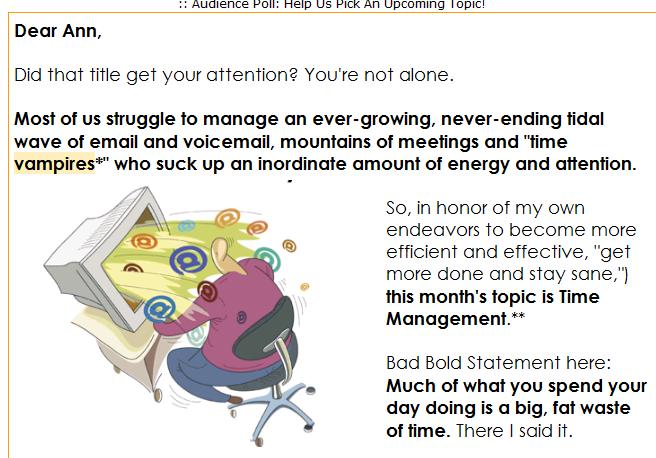
Most of us have developed a love/hate relationship with our email account--loving the feeling of being needed, remembered and connected, and hating the feeling of being increasingly overwhelmed with the speed by which we're inundated with messages--messages that we need to open, sort through, make decisions on, and reply to.

There is often a false sense of urgency in checking email. A common tip from the gurus: Try to limit yourself to 2 or 3 times a day. However, most of us are more like rats in a lab, pressing the tab to feed ourselves little pellets of sustenance at repeated intervals all throughout the day (insert collective sigh here). (click on image for origin)

Process email in batches. Try a quick scan to see what are urgent or time sensitive. Open those first. Also, obviously look at the sender names. People you already recognize should come first, but try to ignore for now notes from known senders who send "fun forwards."

Any emails that are invitations to meetings, events, etc. should be replied to as soon as possible, and added by the email program to your calendar. Since I use Gmail, I usually need to copy the info into a calendar entry with cut and paste. Add email reminders to yourself if you like, with the option within the calendar.

Determine a reasonable-for-you threshold of retained email. Initially, my "magic" number was 500. If my email queue of emails, including read and unread tops 500, I will force myself to do a Clean up. (Note, I tend to keep many older emails related to prior PR jobs for clients. Your own magic number might be 30, but then you probably won't need these tips.) I feel a little guilty about this high number of retained and still-to-process emails, but considering I get about 75 emails a day, by no means large in today's plugged in society, this number works for me so far.

In Clean Up mode, when you identify a sender or key word that you know you can part with multiple emails from, do a search and look for obsolete or out dated emails and group-delete them.

When I get involved in Clean Up mode, I go through some of my older emails and convert any information they contain that may prove meaningful again in the future to either Word documents, or I copy and add contact information to my Gmail contacts.

Try to read and act on emails that require action right away. You may find some that are worth reading later on a slow time. Some that may be read later include newsletters.*

As I gotten more proactive about cleaning up emails, I've whittled down my target range to 400 messages. However, when I get lazy about regular maintenance, this number can bloat to 500, which is my threshold to schedule Clean up.

Either schedule or get in the habit of performing "clean up" sessions to review what you've stockpiled. (You can make it a bit of a game to see how many you can delete in a quarter of an hour, much like my mother had my brothers and sisters and I see how many toys we could pick up and put away in our rooms in a short period of time.)

Also, try to leave the perfectionist's tendency to need to review/save/archive or otherwise memorialize all information. Mostly, anything you receive via email you could actually live without revisiting ever again, without majorly affecting the quality of your life.

It's great to sign up for newsletters but I try to evaluate them on an ongoing base and unsubscribe if they are not continuing to deliver really helpful information.

Another observations...I recommend checking your email DRAFTS folder only at planned intervals to see what you have cached there. Sometimes an important message might be stowed there--out of sight, out of mind--that needs to be updated/finished and sent on to a recipient.

*Some newsletters I've found that are worth keeping:
BNET
Sarah Sevens Commentz
Rain Today
SocialMediaExaminer


(since this post is soooo long already, and was supposed to be about brevity and streamlining, a complete list of my recommendations and links will be a later post!)